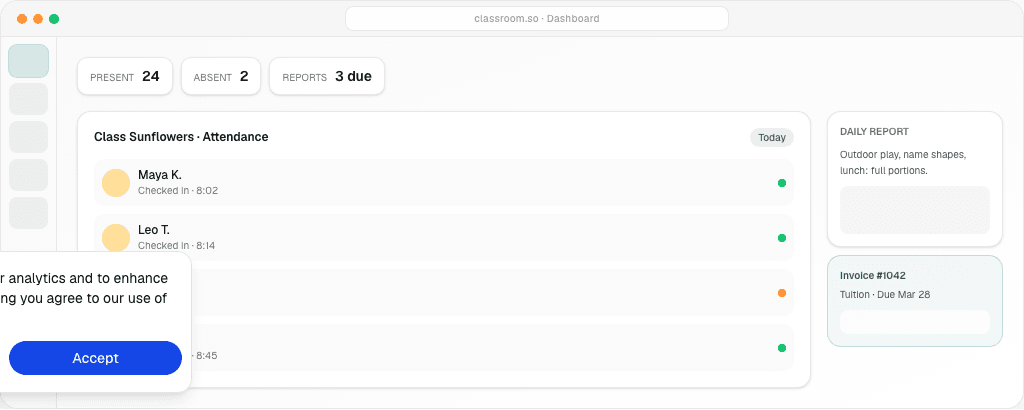

The first setting you choose is the one people feel every morning. A preschool opens into a care day: who arrived, who may collect them, what they ate, whether they slept. A swim school, a dance studio, or a boxing gym opens into a class: who is on this weekly time, which pack or membership they hold, whether they attended. Classroom is one workspace for both. It is not one blob of screens that you ignore half of.
You choose preschool or Learning centre. Studios use Learning centre. There is no separate activity onboarding, and there is no third mode named after the sport. Activity wording and one weekly time are settings inside Learning centre, not a different signup. This article is the decision. The sport-by-sport setup lives in how to run a swim, dance, or boxing studio.
What you are actually choosing
You are choosing which operational day the software will respect.
A preschool day assumes a child is with you across meals, rest, and a handover to an approved adult. The product asks for a parent when the child is created, and it asks for an emergency contact, because that is the compliance shape of care. Staff mark the day, write a report, and check the child out to someone on the list. Tuition is usually a monthly fee, sometimes with meals or transport added.
A Learning centre day assumes a person comes for a scheduled class and leaves when the session ends. They might be a child with a parent on the portal, or an adult who pays for themselves. The product does not demand a parent or an emergency contact at the moment you create an adult member. It does demand a class, a weekly time, and an offer — a pack or a membership — if you want the invoice to match the visit. Activity wording hides homework and understanding scores so a boxing coach is not asked to grade a worksheet.
If you pick preschool for a dance studio, you will spend the first week hiding care fields and inventing answers to pickup questions you do not run. If you pick Learning centre for a full-day kindergarten, you will miss the report and the handover your families already expect. The wrong mode is not a cosmetic label. It changes which menus exist.
Choose preschool when the product is care
Choose preschool if most of the week looks like this. Children arrive in a window and stay for hours. Ratios are a licensing question, not a “how many fit in the room for 45 minutes” question. Families expect a note about the day, not only a tick that the class happened. Someone other than the parent sometimes collects the child, and you need that person’s name before you release them. Fees are tuition for a place in the centre, not a countdown of lessons.
Preschool only, and worth turning on because they match that day:
Check-in across the morning, and a verified checkout to an approved pickup person. Daily reports — meals, naps, toileting, mood, activities, photos — sent to the parent portal. Health logs and vaccination records on the Starter plan. Transport and staff attendance on Professional, when those are part of how you operate. Emergency contact required when the child record is created. A parent link required at create, because the portal user is a guardian.
None of that is a slight against studios. It is the wrong paperwork for a lane. The writing aids for that day are the daily report template and the progress comment bank. Starting a licensed centre is a different project again, covered in how to start a daycare. This article does not replace your local licence.
A preschool still uses the shared pieces: attendance as a fact, invoices in the portal, staff logins, and more than one branch under one organization. Billing for that world is tuition and fees, described alongside studio offers in tuition and invoicing.
Choose Learning centre when the product is a class
Choose Learning centre if most of the week looks like this. People book a time. The session ends and they leave. You sell a class pack, a monthly membership, or a set number of classes per week. Some of the people on the roll are adults who pay their own invoice. You care which slot they attend — Monday 4pm or Wednesday 4pm — because the room has a cap at that hour. You do not serve lunch, and you do not employ a nap routine.
Inside Learning centre, set two things before you enrol anyone.
Activity studio wording if you are a swim, dance, boxing, or similar studio. The navigation speaks in classes, members, and session attendance. Homework stays hidden. Academic tuition centres can leave wording on “tuition” and keep lesson language. A studio that leaves the academic wording on will keep seeing fields it does not use.
One weekly time if a member attends a single slot of the level. The hint in the product is literal: they pick Monday 4pm or Wednesday 4pm. The other schedule style, every weekly time of the group, means joining the class means they are expected on Monday and Wednesday. Use that only when it is true. A parent who paid for one slot and appears on every list will think you double-charged them.
Then sell the offer and take the roll. Those two habits are the whole studio loop, written up in class packs and memberships and studio attendance and the portal. Ranks, if you use a ladder, are an ordered list on the programme. They do not block a booking. A waiver is one organisation text, signed before the first booking. A workshop is a one-off session beside the weekly class. None of these require a different mode.
The questions that settle it in one conversation
Ask the owner, not the software brochure.
Do children stay through a meal and a rest, or do they come for a session and go home? If they stay, you are in preschool territory. If they go, you are in Learning centre territory.
Who receives the invoice? If it is always a parent, both modes can do that. If adults regularly pay for themselves, you want Learning centre and a self-payer login. Preschool create will keep asking for a guardian.
What would a family notice if it went missing? If the answer is “the daily note and who collected them,” choose preschool. If the answer is “the lesson balance and whether they were in the 6pm class,” choose Learning centre.
How many times a week is a “full” enrolment? A preschool full-timer is there every operating day. A studio full-timer might be twice a week. One weekly time exists for the studio answer. It is an awkward fit for a child who attends care Monday to Friday.
You can still run a small trial class inside a preschool, or a preschool that happens to offer a Saturday dance hour. If that Saturday hour is a real class with packs, and the weekday is real care, you are describing two products. Hybrid operations in the software can expose both preschool and Learning centre tools in one organization. The public signup still starts from preschool or Learning centre. Do not invent an “activity mode” to hold the Saturday hour. Put the Saturday hour in Learning centre settings — activity wording, one weekly time, a pack — and leave weekday care on the preschool side if you truly run both. If you only run the Saturday hour, do not turn preschool on at all.
What stays the same either way
The plan names and prices do not move. Free covers up to 15 people on the roster. Starter is RM 99 a month, with 50 included and one location. Professional is RM 199 a month, with 100 included and up to two locations, plus payroll and the assistant. Enterprise starts from RM 2,300 a month for volume — 300 or more on the roster, or three or more branches. Staff and portal accounts are not the thing the allowance counts. The allowance counts enrolled children at a preschool, or class members at a studio, including adult self-payers. See pricing before you model a second location. Extra locations have their own add-on once you are past the plan’s included sites. That commercial shape is identical for a kindergarten and a gym.
The portal is the same idea: a browser login for the family side of the record. Preschool families see care updates and invoices. Studio parents and self-payers see class attendance, the pack or membership, and invoices. Messages and announcements exist for both, which is why a single parent communication habit — one channel, no personal chat as the system of record — applies to both audiences.
Multi-branch is the same idea too. One organization, sites that keep their own classes, leadership that can see the network. A second pool and a second kindergarten both hit the location limit on the plan. They do not hit a different price list. The write-up is multi-branch operations.
A short setup, once you have chosen
If you chose preschool: create the organisation, leave the mode on preschool, add rooms and classes for the care day, require the parent and emergency contact, and turn on daily reports before you chase billing. Attendance on day one is more important than a perfect fee catalogue. The longer feature tour is childcare management software.
If you chose Learning centre for a studio: create the organisation, choose Learning centre, set activity wording, set one weekly time if members attend a single slot, create the class and its weekly times, then assign a pack or membership before you invite the portal. Do not spend week one on preschool report templates. You will be deleting fields instead of marking sessions.
If you are still unsure, run one real afternoon on paper and see which column you fill. A column of meals and pickup names is preschool. A column of “Monday 4pm, lessons left” is Learning centre. Software should follow that column. It should not ask you to keep both out of fear that you picked wrong. You can correct a mode early, before families are trained on the wrong screens. You cannot easily un-train a parent who was promised nap photos from a boxing gym.
Confirm local licensing with your authority either way. A preschool licence and a sports-venue permit are not interchangeable. Classroom does not issue either. It records the day you actually run, on the plan you actually bought.
Mistakes that feel small and cost a term
The first mistake is choosing preschool because the signup listed it first, then hiding care menus and calling the result a studio. Staff will still find a daily report, a pickup list, or a required parent field at the worst moment, usually while a class is waiting on the floor. If the business is classes, set Learning centre at the start. Activity wording and one weekly time are the studio settings. They are not a skin on a kindergarten.
The second mistake is choosing Learning centre for a full-day kindergarten because “classes” sounded more modern. You will then lack the handover and the daily note families already expect from care, and you will invent them in chat. Chat will become the real system. The portal will hold invoices only. That is a weaker product than the preschool day you refused.
The third mistake is turning both on because the future might include a camp. A holiday camp can be a workshop or a short enrolment when it exists. Empty preschool tools on a gym “just in case” train coaches to skip screens. Empty class tools on a kindergarten “just in case” train teachers to ignore a timetable they do not run. Add the second mode when the second product has a price, a calendar, and a person responsible. Not before.
The fourth mistake is changing mode after families have been trained. Early, before invites, a change is cheap. After a term of daily reports, it is a communications project. If you must change, tell families what will stop appearing and what will start. Do not let the screens change silently over a weekend. Trust is the asset. The mode is only a setting.
If you are stuck between two honest answers — you really do run care until 3pm and a paid dance hour at 4pm — write both down as products with different fees. Then configure both, and keep each family’s view tied to the product they bought. That is more work than a pure studio or a pure preschool, and it should be, because you are running two businesses in one organization. The plans still do not split. You do not pay a preschool price and a studio price. You pay Free, Starter, Professional, or Enterprise once, for the roster those products share.
Frequently asked questions
Is there an activity onboarding mode for studios?
No. Swim, dance, boxing, and similar studios use Learning centre mode. Set activity wording and, when a member attends a single slot, one weekly time. Preschool is the other choice, for a care day with pickup and reports.
Can a preschool and a studio share plans?
Yes. Free, Starter at RM 99, Professional at RM 199, and Enterprise from RM 2,300 are the same plans. The roster allowance counts enrolled children or class members. Portal logins are included. The mode changes the screens, not the price list.
What if we run childcare on weekdays and classes on Saturday?
Use preschool tools for the care day and Learning centre tools for the class, including packs and one weekly time. Do not create a third mode. If the business is only the Saturday class, stay in Learning centre and leave preschool screens off.