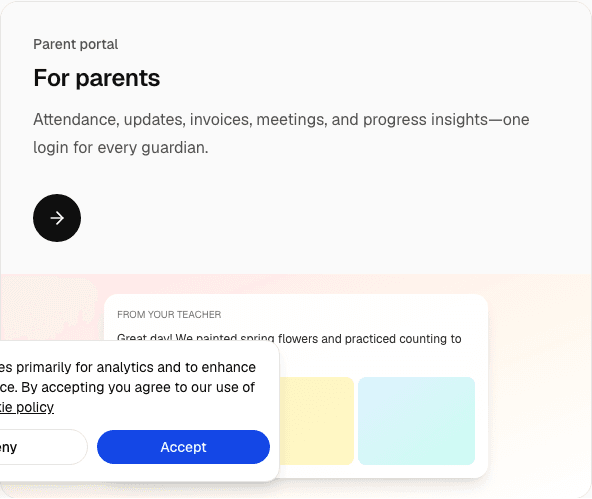

Attendance is the moment a class stops being a plan and becomes a fact. If the fact lives on a paper roll, the pack balance is a rumour. If the fact lives in the product, a parent can see that the Tuesday class happened, and a self-payer can see that this month’s membership was used. The portal is not a separate product you bolt on after billing. It is the family side of the same roll.
Studios do this in Learning centre mode. There is no separate activity onboarding. Activity wording calls the roll session attendance and the people members. A preschool, by contrast, takes attendance across a care day and pairs it with pickup and daily reports. Those preschool steps are called out below so a dance desk does not go looking for a diaper field.
Mark the session, not the month
A studio class meets at a weekly time. Attendance belongs on that session: this Tuesday, this lane, these names. Mark who came, who was absent, and who was a trial, a make-up, or a replacement. Those booking types exist so an exception stays visible. A trial that is marked as a normal lesson will eat a pack the family has not bought. A make-up that is never marked will be argued twice.
Take the roll before the next session starts. The useful habit is “before you leave the room,” not “Friday when the owner asks.” Late marks are how a classes-per-week membership looks unused and how a pack looks fuller than it is. Coaches do not need the finance screen to do this. They need today’s list and a way to mark it.
A studio kiosk code can sit at the desk for members who check themselves in. The code is unique inside the organisation. It does not replace the coach. A self-check that the coach never confirms will drift, especially in a busy boxing hour when people arrive across twenty minutes. Use the kiosk to shorten the queue. Keep the coach responsible for the final roll.
Preschool only: the care day has its own check-in and a verified checkout to an approved pickup person. That workflow exists because a child is in your care for hours, and the wrong adult at the door is a safety event. Health logs and vaccination records sit on that same day, on Starter. A 45-minute swim lesson is not that day. If you need a note that a child may not dive, put it where the coach will see it. Do not turn on preschool pickup just to collect a signature you could put on the organisation waiver.
The waiver is one text per organisation, and a signature is required before the first booking. Parents sign for a child. An adult self-payer signs for themselves. It is not an attendance mark. It is the gate in front of the first attendance mark.
Who is on the list
The list for a session comes from the class membership, filtered by the weekly time. If the studio is set to one weekly time, a child enrolled on Monday 4pm appears on Monday, not on Wednesday. If the setting is every weekly time of the group, they appear on both, because that is what you promised. Wrong lists are usually a schedule-style mistake, not a “the software lost a child” mystery. Fix the style in class settings, which is described in running a swim, dance, or boxing studio.
Capacity still applies. A full session should not silently grow because someone was marked present. Present means they attended a place that had a seat. If you override capacity, do it on purpose and know why. Waitlists belong to people who want a seat that does not exist yet, not to people you have already squeezed onto the floor.
Workshops are the exception that should look like an exception. A grading day or a holiday intensive has its own enrolment. Do not mark those people present on the weekly class or the weekly pack will decrement for a day that was not the weekly class. Attendance is only as trustworthy as the session you attach it to.
Two kinds of portal login
The portal is one login pattern with two kinds of person behind it.
A parent is linked to a child. They see that child’s class attendance, the pack or membership, and the invoices addressed to them. This is the normal path for swim and dance families, and for youth boxing. You invite them. They open a browser. Classroom’s portal is a web app, not a store download they must hunt for. They can add it to a home screen if they want a icon. The invitation is the product. A PDF emailed once is not a portal.
An adult self-payer attends and pays for themselves. You collect the email and phone they will use to sign in. Classroom emails an invite. After they accept, they are the invoice recipient and can open sent invoices. They do not have a parent link. Creating that link is a preschool rule, and it is the wrong shape for an adult member. Self-payers are a Learning centre pattern. A preschool-only organisation still requires a parent and an emergency contact when the child record is created.
Both people should see the same kinds of facts: did the session happen, what offer am I on, what do I owe. They should not see other members’ balances. Staff see the class. Families see their own person. That split is the difference between a portal and a shared spreadsheet link, which is how a dance school once emailed an entire roster to every parent. Do not do that.
Preschool families see more, because the preschool day produces more. Preschool only: daily reports with meals, naps, mood, and photos, plus pickup status. Those fields are written up in the daily report template and the parent communication guide. A studio parent who receives a nap report will think you have the wrong child. Keep studio updates about the class: a timetable change, a grading date, a pack that will expire, an invoice.
What to send, and what to stop sending
Replace the class WhatsApp group as the system of record. You can keep a phone number for true emergencies — the pool is closed, the fire alarm, a child who needs collecting now. Everything that must be true next month belongs in the portal: the time, the attendance, the invoice.
Announcements still exist. A recital date, a lane closure, a change of coach for one week: send them once to the people on that class, not to every human who ever asked about a trial. The mistake in consumer chat apps is that “the group” is whoever happened to be added, including people who left last term and excluding the parent who joined on Monday. A class list does not have that bug if you maintain the class list.
Write the message in the voice of the studio. The assistant can draft it. A human sends it. Guidance on that draft habit is in the AI assistant for centres and studios. Do not let a draft invent a make-up policy you do not offer.
Photos are optional. A dance studio may want a still from class. A boxing gym may not want faces in a public sense at all. Your waiver should say whether you publish images. The portal is a better place than a personal Instagram if the photo is for families of that class. Storage on paid plans is there for files you actually keep. Free includes a small amount. You do not need a photo to have valid attendance.
How attendance and money stay the same story
A class pack counts lessons. A lesson that is attended should count. A lesson that is a trial should not, if the trial was free. A classes-per-week membership does not count down the same way, but the roll still shows whether the person came to the slot they bought. Monthly unlimited still needs a roll, because safety and coaching ratios are not waived by the word unlimited.
If finance and the coach disagree, look at unmarked sessions first, then at the weekly time, then at whether a workshop was logged against the weekly class. Those three checks solve most “the pack is wrong” conversations. The invoice history solves the rest. Recording a cash payment the same day is part of attendance culture, not a finance hobby. The offer types themselves are explained in class packs and memberships.
Parents will ask for a correction. Correct the session if the mark was wrong. Do not keep a second private list “just in case.” Two lists is how the portal becomes the thing families stop trusting. Trust is the only reason the portal replaces the chat app. If you undermine it, you will be back in the chat app by the next term.
Rolling it out without a mutiny
Tell coaches the roll is a closing task, like putting equipment away. Five minutes, today’s session, no Friday archaeology. Give them a login that shows their sessions. Do not give every coach the owner’s billing access just because it was faster.
Tell families on a specific date. “From 1 October, attendance and invoices are in the portal. The chat group remains for same-day emergencies.” Invite them before that date, and have one person at the desk who can resend an invite. The first week will include a parent who cannot find the email. That is normal. It is still faster than answering “did they attend?” forty times.
Adult self-payers need the same speech in the second person. “You will sign in with this email. Invoices come to you. Please do not ask the coach to confirm a transfer in a direct message.”
Preschool only, if you also run a care day in the same organization: do not use the studio announcement to explain pickup. Pickup, daily reports, and the parent link are the preschool rollout. Families in care and families in a Saturday class can both have portal logins. The content they see should match the enrolment they bought.
Plans, and what the portal costs
Portal accounts are included. They are not a per-parent fee. On paid plans, staff and portal logins stay unlimited. The subscription quantity is the active roster: children enrolled in a class, or class members including adults who pay for themselves. Free covers up to 15 on that roster and is enough to prove the roll and the invite with a real class. Starter is RM 99 a month for one location. Professional is RM 199 and adds a second location plus payroll and the assistant. Enterprise starts from RM 2,300 when you are at 300 or more on the roster or three or more branches. Those prices are the software. They are not a surcharge on each parent login.
A studio that is choosing the mode for the first time should read Learning centre or a preschool day before turning preschool screens on “just to have reports.” Reports of the preschool kind are the wrong artefact. A marked session and an invoice are the right ones.
Frequently asked questions
Where do I mark attendance for a studio class?
On the session for that weekly time. Mark who attended, and use trial, make-up, or replacement when the visit is an exception. One weekly time keeps Monday people off the Wednesday list. A preschool care-day check-in, including verified pickup, is preschool only.
Can an adult see invoices without a parent account?
Yes. Add them as an adult self-payer in Learning centre mode, with the email and phone they will use to sign in. After they accept the invite, they are the invoice recipient. A parent login is for a child member.
Do parents need to download an app?
No. The portal opens in the browser from the invite. Families can add it to a home screen if they want. Attendance, the pack or membership, and invoices for their own person are the point. Other members’ records stay with staff.