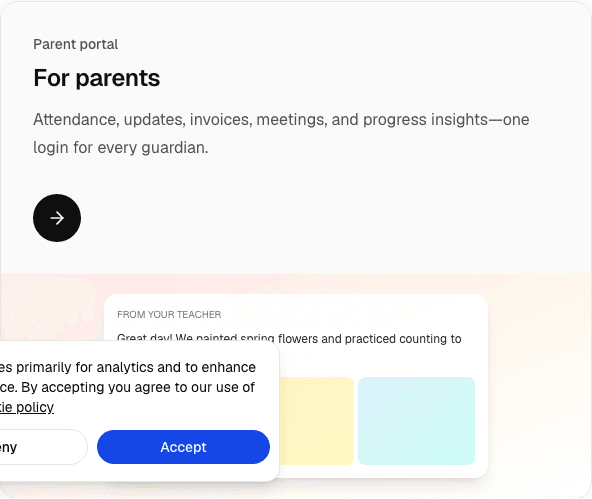

Free daycare templates are printable or copy-paste forms centres use for daily reports, opening/closing checks, illness notes, and pickup logs—so teachers stay consistent before (or alongside) a digital parent portal.
This page collects the templates directors ask for most. Copy the field lists into Google Docs or print them. When typing the same sheet twice a day becomes the bottleneck, move the same fields into Classroom.
Daily report / daily sheet template
Use this as a daycare daily sheet or preschool daily report. One page per child (or one class roster with columns).
Header
- Child name · Class · Date · Teacher
Meals / snacks
- Breakfast · Morning snack · Lunch · Afternoon snack · Notes (allergies, appetite)
Sleep / rest
- Nap start · Nap end · Quality (restless / settled)
Diaper / toilet
- Times · Wet / BM · Notes
Mood & behaviour
- Morning · Afternoon · Notes for parents
Learning / play
- Activities · Outdoor time · Highlights
Needs from home
- Diapers · Clothes · Medication form · Other
For a deeper walkthrough, see the preschool daily report template.
Opening checklist (teachers)
- [ ] Room scanned (hazards, outlets, gates)
- [ ] Attendance clipboard / tablet charged
- [ ] First-aid kit accessible
- [ ] Allergy list posted for today’s cooks / floaters
- [ ] Outdoor area check (if used AM)
- [ ] Parent messages from overnight reviewed
Closing checklist
- [ ] All children signed out to approved adults
- [ ] Attendance closed and absences noted
- [ ] Medication log complete
- [ ] Bottles / lunchboxes returned
- [ ] Laundry / sanitising done
- [ ] Tomorrow’s prep notes left for next shift
Illness / incident note (parent-facing)
- Child name · Time · Symptoms or description
- Actions taken · Who was notified · Pickup required?
- Follow-up (doctor note needed?)
Keep a carbon copy or digital scan. Serious incidents need your centre’s formal form and local reporting rules.
Pickup authorisation log
- Child name · Authorised adult · ID checked · Time out · Staff initials
Never release a child to someone not on the list without a documented director override.
Progress comment starters
Need phrases for report cards? Use our 90 preschool progress report comments.
When to stop printing templates
Paper works for a single classroom. It fails when:
- Parents want updates before pickup
- You run two or more rooms
- Billing depends on accurate attendance
- Directors need the same report across branches
That is when childcare management software replaces stacks of sheets. Start with the fields above so your digital setup matches habits teachers already know.
Upgrade path (same fields, less typing)
- Keep this template for a week so staff agree on fields
- Turn on digital attendance + daily reports in Classroom
- Invite parents to the parent portal
- Connect fees with preschool billing software
Frequently asked questions
What free daycare templates do centres need most?
A daily report / daily sheet, opening and closing checklists, illness or incident notes for parents, and a pickup authorisation log cover most day-to-day needs. Progress comment banks help at report-card time. Keep field names consistent so you can move to a digital portal later.
What should a daycare daily sheet include?
Child name, class, date, meals and snacks, nap times, diaper or toilet notes, mood, activities, and a short note for parents. Use one page per child—or a class roster with columns—so every room records the same fields.
When should a daycare stop using paper templates?
Paper works for a single classroom. Switch when parents want updates before pickup, you run two or more rooms, billing depends on accurate attendance, or directors need the same report across branches.
Are printable daycare templates enough for parent communication?
They keep classroom records consistent, but parents usually want digital updates. Standardise fields on paper first, then send the same fields through a parent portal.
Related guides
- How to start a daycare
- Daycare business plan
- Childcare management software
- Parent communication app
- Best childcare management software (2026)
Get the digital version
Print what you need today. When you are ready, send the same updates from your phone.