
It is 4:30 p.m. A parent messages your teacher on WhatsApp: "Did my child eat lunch?" Your admin is forwarding the same field-trip notice to three chat groups. One family missed the announcement because they were added to the wrong thread. Another parent is calling the front desk about an invoice they never received.
If this sounds familiar, the problem is not your team. It is the tools. Consumer messaging apps were built for friends, not for classrooms, consent records, and fee reminders.
A parent communication app for preschool gives families one secure place for daily updates, announcements, and centre news. Teachers stop retyping the same message. Directors stop worrying about who was left out. Parents stop guessing.
This guide is for preschool directors, daycare owners, and centre administrators who want to improve parent engagement without adding more apps to an already crowded stack. You will learn what a preschool parent portal should do, how it differs from WhatsApp, what to look for when comparing options, and how to roll one out without overwhelming your staff.
Ready to see it in action? Start your free trial
Key Takeaways
- A parent teacher communication app should connect to attendance, daily reports, and billing—not replace them with another inbox.
- WhatsApp groups create privacy risks, missed messages, and off-hours pressure on teachers.
- The best daycare parent app experiences work on mobile without a separate App Store download.
- Roll out one workflow first—usually daily reports—before turning on announcements and payments.
- Centres that centralise parent communication report fewer front-desk calls and stronger family retention.
What Is a Parent Communication App for Preschool?
A parent communication app for preschool is software that lets early learning centres share updates, documents, and messages with families through a dedicated portal or mobile experience. It is sometimes called a preschool parent portal, parent teacher communication app, or daycare parent app.
Unlike a general messaging tool, a purpose-built platform ties communication to your centre's data:
- Which child is in which class today
- What they ate, slept, and learned
- Which fees are due and which forms are unsigned
- Who is authorised for pickup
That context matters. A parent asking "How was my child's day?" is not a casual chat. It is a request tied to attendance, teacher notes, and sometimes billing or health records. A childcare parent communication system answers from one source of truth instead of five scattered threads.
Strong family engagement is linked to better child outcomes and higher programme quality. Communication is the daily expression of that partnership—not a nice-to-have feature you bolt on at enrolment time.
Why WhatsApp and Email Stop Working as You Grow
Many centres start with WhatsApp because it is free and parents already use it. For a single class of 12 children, it can work. By the time you reach 60–80 enrolled children across two or three age groups, the cracks show.
Privacy and compliance gaps
WhatsApp groups expose phone numbers. Parents see each other's contact details. Teachers receive messages at all hours. Sensitive topics—absences, behaviour notes, medical updates—sit in the same thread as birthday party photos.
Regulators and insurers increasingly expect centres to show how they handle child data. A consumer chat app gives you little audit trail. A preschool parent portal with role-based access and centre-owned records is easier to defend when a parent asks who saw a message or when a consent form was sent.
Message overload and missed updates
The average parent checks their phone dozens of times per day, but group chats bury important notices under memes, replies, and "OK" confirmations. When you post a closure notice at 9 p.m., half the thread may not scroll back to it by morning.
Many centres spend 30–45 minutes per week re-sending information already posted elsewhere.
No link to attendance or billing
WhatsApp cannot tell you whether a child was marked present, whether lunch was logged, or whether Term 2 fees were invoiced. So staff answer the same questions repeatedly: "Was my child there?" "Did you get my payment?" "Where is the excursion form?"
A parent teacher communication app connected to your preschool management software closes that loop. Parents self-serve. Teachers teach.
What Features Matter in a Preschool Parent Portal
Not every daycare parent app offers the same depth. When you evaluate options, focus on what families and staff touch every day—not a 40-item checklist you will never finish.
Daily reports and real-time updates
Parents want to know their child ate, slept, and had a good day. Teachers should log meals, naps, activities, and photos during the day—not after hours. Reports should reach parents automatically without copying text into a chat group.

Announcements, messaging, billing, and attendance
Directors need broadcast and class-level announcements with delivery confirmation. Families need in-app messaging tied to the child's profile—not personal phone numbers. Linking invoice history and payment status to the same portal cuts front-desk calls. Real-time check-in visibility reassures working parents who cannot call during the day.

Parent Communication App vs. General Messaging Tools
| Factor | WhatsApp / Telegram | Email | Purpose-built parent portal | | --- | --- | --- | --- | | Setup cost | Free | Free | Subscription (often $1–5 per child/month) | | Privacy | Phone numbers exposed | Better, but fragmented | Role-based, centre-controlled | | Daily reports | Manual copy-paste | Slow, low open rates | Structured, automatic | | Billing visibility | None | Attachments get lost | Linked to invoices | | Teacher boundaries | Weak | Moderate | Strong (in-app, auditable) | | Search and history | Poor in groups | Inbox clutter | Organised by child and date | | Multi-branch support | Multiple groups | Multiple lists | One org, many sites |
The right choice depends on size. A home-based programme with eight children may survive on email. A 50-child centre with three classrooms and term billing needs a preschool parent portal that connects communication to operations.
How to Choose the Right Parent Teacher Communication App
Use this framework when comparing daycare parent app options. Score each platform on the workflows you run tomorrow—not features you might need in three years.
1. Start with your biggest pain point
If teachers hate end-of-day reporting, prioritise daily reports and photo sharing. If your office drowns in payment questions, prioritise billing visibility. If you are opening a second site, prioritise multi-branch announcements and shared templates.
Fix the worst problem first. Add modules later.
2. Test the parent experience on a phone
Directors often demo admin dashboards. Parents live on mobile. During every trial, ask:
- Can I find today's report in two taps?
- Do photos load quickly on mobile data?
- Is the invoice history clear without calling the centre?
- Do I need a separate App Store download, or does it work in the browser?
Progressive web apps (PWAs) let families open a link and add it to their home screen—no iOS/Android download required. That removes a common barrier for less tech-confident grandparents and caregivers.
3. Check integration with attendance and billing
A standalone messaging tool creates another inbox. The best parent communication app for preschool shares data with attendance, enrolment, and fees. Enter information once; it flows where families expect to see it.
If you already use childcare management software, ask whether the parent portal is native or a bolt-on integration.
4. Review onboarding and support
Switching tools fails when staff get no training. Ask vendors:
- How long does setup take for a 40-child centre?
- Do you help import families and classes?
- Is support available during your time zone?
- Can teachers learn the parent-facing flow in under 30 minutes?
5. Compare total cost over 12 months
List price is rarely the full story. Budget for:
- Per-child or flat monthly fees
- Setup or onboarding charges ($0–500 on some platforms)
- Payment processing (often 2–3% per transaction)
- Storage overages for photos and videos
- Paid support tiers
Ask for a 12-month total at your current enrolment and at full capacity. Classroom pricing uses transparent MYR plans with no setup fee—a free plan for up to 15 children, then Starter from RM 99/mo (50 children included) and Professional from RM 199/mo.
How to Roll Out a Parent Portal Without Overwhelming Staff
Use a phased rollout: Week 1 daily reports only; Week 2 announcements and documents; Week 3 billing and self-serve. Archive WhatsApp groups with a pinned link to the portal. Directors who follow this sequence report smoother adoption than centres that switch everything overnight.
Common Mistakes to Avoid
If teachers still post in WhatsApp and the parent portal, parents will not know which channel is official—pick one primary source. Support multiple caregivers per child, not only the primary parent. Involve lead teachers in vendor selection so the portal feels like a time-saver, not extra admin. Centres in Malaysia, Singapore, and Southeast Asia should confirm local payment and language support before signing a North America-first platform.
Why Centres Choose Classroom for Parent Communication
Classroom is childcare management software with a built-in parent communication app for preschool—not a separate product you integrate later. Attendance, daily reports, announcements, billing, and a parent portal share one database.
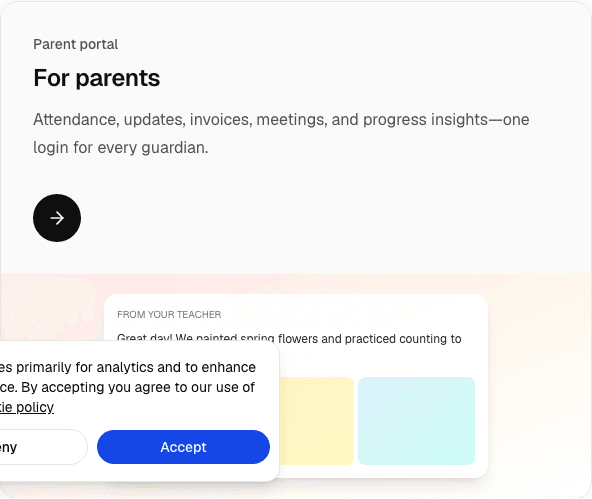
Families get one login for daily reports, fees, and centre news. The PWA works in the browser—no App Store download. Unlimited compressed photo storage, AI-assisted announcement drafting, multi-branch support, and per-enrolled-child pricing with staff and parent accounts included.
Whether you are replacing WhatsApp groups or upgrading from a legacy system, Classroom offers a free trial so you can test real workflows before go-live.

Frequently Asked Questions
What is a parent communication app for preschool?
A parent communication app for preschool is software that lets childcare centres share daily reports, announcements, photos, and billing information with families through a secure portal or mobile experience. It replaces scattered WhatsApp groups and email threads with one preschool parent portal connected to attendance and centre records.
Is WhatsApp enough for preschool parent communication?
WhatsApp works for very small programmes but breaks down as enrolment grows. It exposes phone numbers, buries important notices in group chat, offers no billing or attendance integration, and creates off-hours pressure on teachers. A purpose-built parent teacher communication app is safer and more scalable for most centres above 20–30 children.
Do parents need to download an app?
Not always. Many modern platforms—including Classroom—work as progressive web apps (PWAs). Parents open a link in their phone browser and can add it to their home screen like a native app. That removes App Store friction for parents and grandparents who rarely download new software.
How long does it take to launch a parent portal?
Most centres complete basic setup in one to two weeks: importing classes, families, and staff, then going live with daily reports. Start with one workflow before enabling billing and announcements. Classroom has no setup fee and offers a free trial so you can test with real staff first.
How much does a parent communication app cost?
Pricing varies by vendor. Common models include per enrolled child ($1–5 per child per month), flat monthly fees per centre, or custom enterprise quotes. Ask for a 12-month total including setup, payment processing, and storage. Classroom offers a free plan for up to 15 enrolled children and paid MYR plans from RM 99/mo (Starter, 50 children included) with staff and parent accounts included.
Can a parent portal connect to billing and attendance?
The best systems do. When your daycare parent app shares data with attendance and invoicing, parents stop calling to ask whether their child was present or whether a payment posted. Look for native integration—not a third-party messaging bolt-on—when comparing preschool management software.
Give Families One Place to Trust
You did not open a preschool to manage chat groups. You opened it to support children and partner with families. A parent communication app for preschool turns that partnership into a daily habit—clear updates, fewer missed messages, and less admin chasing the same answers.
If WhatsApp threads, email forwards, and front-desk calls are eating your team's week, it is time to centralise. Start with daily reports. Add announcements and billing when staff are ready. Measure the difference in calls, open rates, and parent feedback each term.
Classroom brings attendance, daily reports, a preschool parent portal, billing, and AI-assisted messaging into one platform built for centres in Malaysia, Singapore, and Southeast Asia. Learn more about our dedicated parent portal page.
Questions about pricing or whether Classroom fits your centre? Visit our pricing page or email hello@classroom.so.